A mistake we often make when handling a ‘brand-new’ laptop is that we forget it is not technically ‘brand-new’. Although it has of course never been used and is as fresh as a fruit, it has also been sitting in a package in a warehouse for sometimes 6+ months. During this time, it is missing out on various critical security, firmware and Windows updates because it is off and stuck in a box. This has caused a known issue with AutoPilot scripts that forces them to error out because they are missing out on important updates.
For most IT experts, after inserting their AutoPilot USB, they will simply open up the CMD line and run the script from there. If the script errors out, it is in most cases due to the laptop lacking the necessary Windows Updates to complete the script. To bypass this, in the OOBE mode for the laptop, press the buttons CTRL+Shift+F3 to take the laptop into SYSPrep mode.
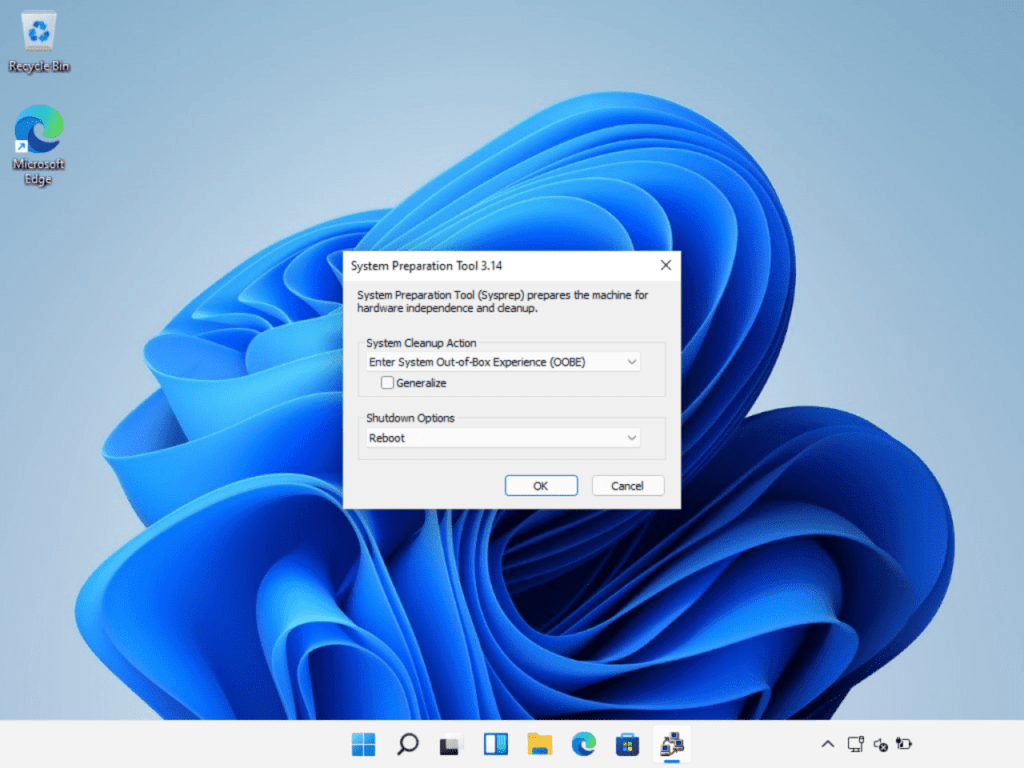
Once in, connect your device to the internet and simply run the Windows updates. Once finished, restart the laptop for the updates to kick in. Remember to Restart from the standard Windows start Menu and do NOT press ‘Reboot’ on Shutdown options. This will cause the update installation to get skipped and just boots the laptop back into OOBE mode again. Once rebooted, you can either just run the script from the laptops current SYSPrep mode or press the Reboot option and run the script from OOBE mode once the laptop restarts.
 IT Helpdesk solutions for Dummies
Leave a comment